Surface Pro Weaknesses Exposed! Essential Checks Before Buying
PRODUCT
- Product
- Microsoft Surface Pro
- Provider
- Microsoft

Dr. Bravo
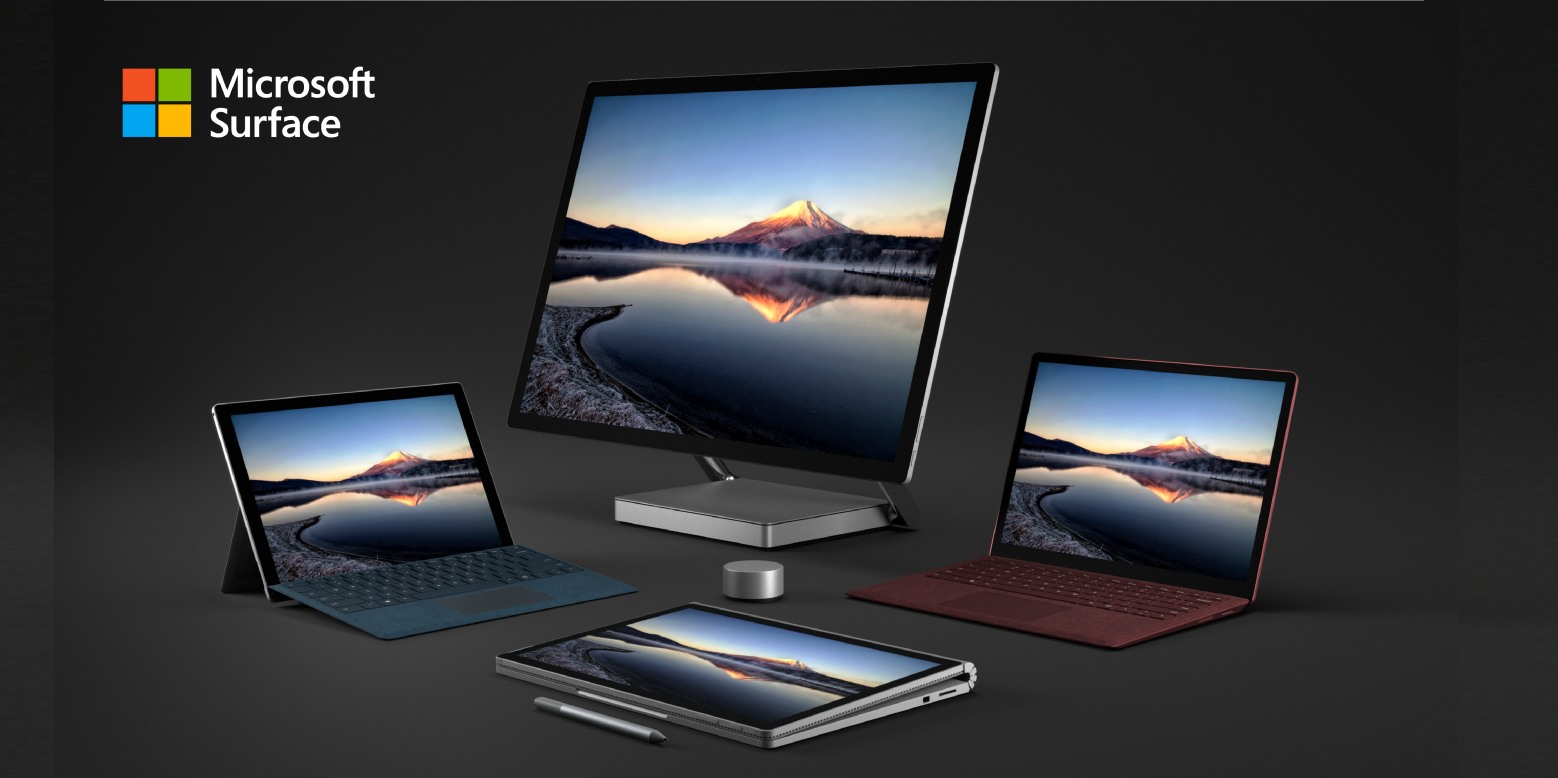
Surface Pro pioneered the 2-in-1 device category, innovatively combining both tablet and notebook PC functions into a single device. Its high-resolution touch display, excellent pen input support, and refined design continue to win over many creators and business professionals. The adjustable kickstand angle and complete Windows and Office compatibility are major attractions for productivity-focused users. The reliability and support structure as a Microsoft genuine device are also highly valued aspects.
BooLab Reviewer Negative Reviews

From a cost-performance perspective, Surface Pro appears about 20-30% more expensive than equivalent-spec Dell or Lenovo models. The fact that the Type Cover and pen are sold separately is another cost consideration. Connectivity is also limited with just USB-C ports, often requiring additional dock purchases for expandability. While functionality is high, you need to carefully evaluate the return on investment.

While Surface Pro's design is refined, the glare display reflections are fatal for artistic work. Though color reproduction is excellent, it's easily affected by ambient light. The matte-textured back is beautiful, but skin oils show easily and the premium feel diminishes over time. For a design-focused product, the low maintainability is a disappointing point.

The Alcantara material Type Cover has good texture, but faces durability challenges with long-term use. Neglecting regular cleaning leads to darkening and appearance degradation. The kickstand hinge area can also develop looseness with heavy use. The 2-in-1's structure with many moving parts makes long-term quality maintenance more difficult compared to traditional laptops.

From a daily use perspective, instability on laps or while mobile is the biggest drawback. The kickstand is essentially unusable on trains, and the depth requirement barely fits airplane tray tables—tough for mobile workers. At about 890g it's heavy as a tablet, and the keyboard is too thin as a laptop. The inability to choose US keyboard layout is also a dissatisfaction for users with preferences.
Negative Review Summary

Dr. Bravo
Synthesizing the analysis from four Boo analysts, the biggest challenge with Surface Pro is its "in-between" nature. Many users point out the 2-in-1 dilemma: it's heavy as a tablet and has an unstable keyboard as a laptop. Cost-performance also shows premium pricing compared to competing products with equivalent specs, while connectivity limitations and maintenance issues can't be overlooked. Its structural weaknesses become particularly evident in use scenarios like lap work or mobile environments.
What People Are Saying
BooLab Survey: March 5, 2026
Not Recommended For

Dr. Bravo
People who frequently work in unstable environments like on laps or trains
Those who prioritize cost-performance above all else
Users who need to connect multiple external monitors or USB devices simultaneously
Anyone wanting to carry a tablet alone with light portability
Those who want to maintain pristine appearance over long-term use
BooLab Picks Just for You

Dell XPS 13
Stable lap use with traditional clamshell design. A non-2-in-1 option featuring abundant ports and excellent cost-performance
Lenovo ThinkPad X1 Carbon Gen 11
Design prioritizing business-oriented durability and connectivity. Achieves equal or better specs than Surface Pro at a more affordable price
A Different Perspective

Dr. Bravo
But here's the thing—this "in-between" nature is actually Surface Pro's true strength. Precisely because it's neither a perfect tablet nor a perfect laptop, it offers the flexibility to adapt to different situations. The keyboard instability is a complete non-issue in desk environments, and the premium pricing makes sense when viewed as a long-term investment in quality and the Microsoft ecosystem. These are simply "growing pains" from a product challenging a new category.
Recommended For

Dr. Bravo
People whose use centers on desks or stable tables
Creative workers who utilize pen input and touch operations
Those who value integration with the Microsoft ecosystem
Users who want to switch between tablet and PC modes depending on their needs
Business professionals seeking balance between design and functionality
Convinced After BooLab's Analysis?
Choose with confidence, backed by thorough analysis
Dr. Bravo says
After reading BooLab's thorough analysis, there's no need to hesitate. Go ahead and choose with confidence!
Boo Trends (Weekly)
Trend graphs will appear as weekly digests accumulate.
More Boo Reviews in PC & Tablets
MacBook Neo

MacBook Neo is Apple's ambitious new lineup entry. It's a bold model that brings the A18 Pro chip—originally from smartphones—into a laptop, achieving power efficiency and up to 16 hours of battery life. The 13-inch Liquid Retina display showcases a billion colors beautifully, while new color variations like Blush and Citrus give MacBook a personality it's never had before. The 60% recycled aluminum construction shows modern environmental consciousness. With Apple Intelligence onboard, it's an ambitious attempt to deliver a new computing experience for the AI era.
Apple iPad 11-inch (A16) Wi-Fi 128GB
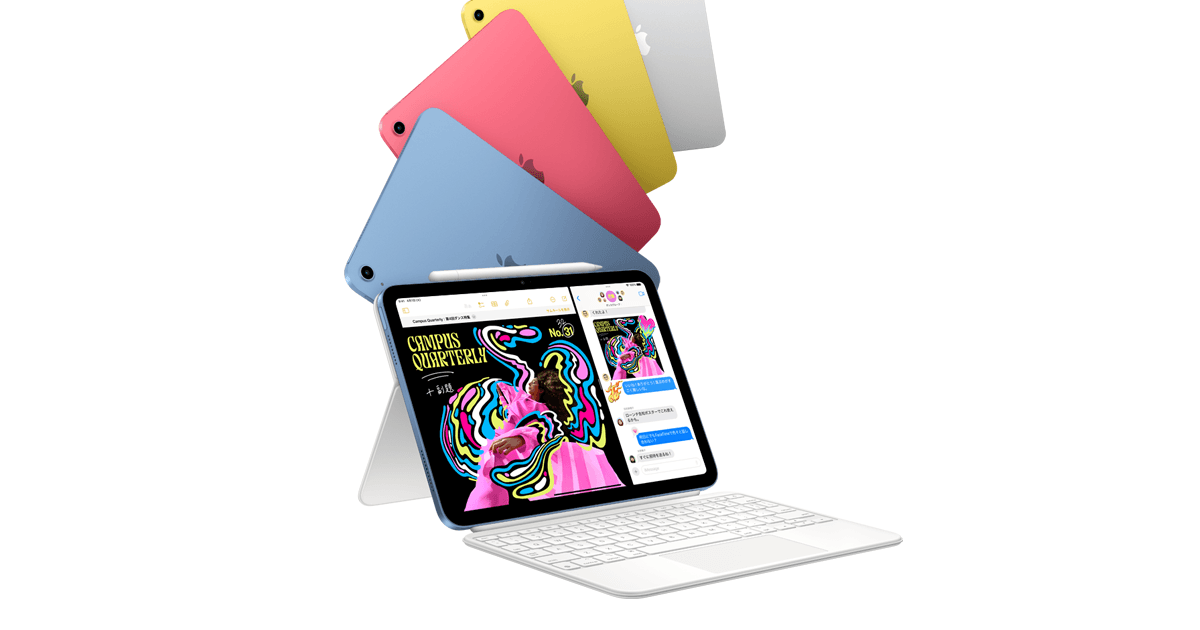
The iPad 11-inch (A16) is an attractive tablet featuring the fast A16 chip and a Liquid Retina display. Its greatest appeal lies in its versatility with the perfectly sized 11-inch form factor, suitable for everything from studying to creative work. USB-C connectivity with fast charging support minimizes charging time stress. The ability to express your personal style through four color variations is another wonderful feature. As an entry-level model, it's an excellent all-around tablet that delivers more than enough performance for everyday use.
Redmi Pad 2

The Redmi Pad 2 is a cost-effective tablet offered by Xiaomi. It features an 11-inch large display with a 90Hz refresh rate and is powered by the MediaTek Helio G99 processor, covering everything from daily use to video streaming. What's particularly impressive for this price range (around 30,000 yen) is its massive 8000mAh+ battery capacity, which handles extended use with ease. The metal body gives it a premium feel, showing no compromise on the design front either.
Popular Boo Reviews
Xiaomi REDMI Buds 8 Lite Wireless Earbuds
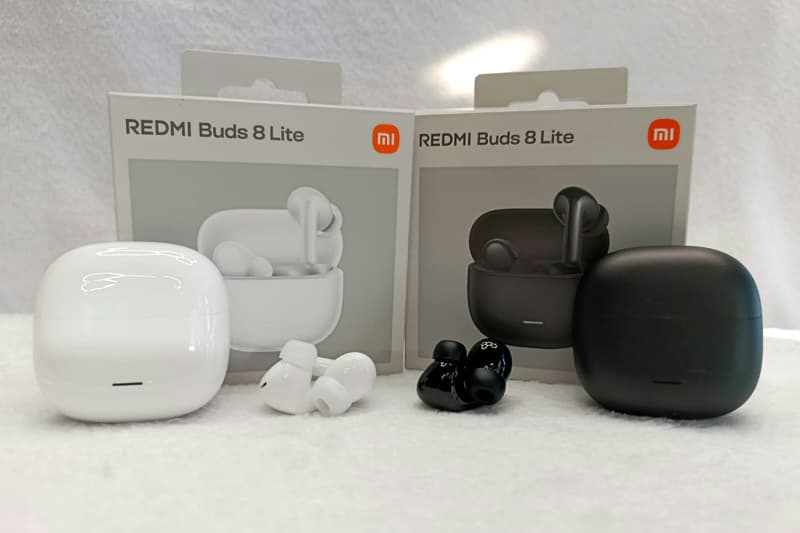
The REDMI Buds 8 Lite is a cost-effective wireless earbud from Xiaomi. True to its 'Lite' name, it features a lightweight design that won't fatigue your ears even during extended use. It pairs easily with smartphones via Bluetooth and delivers sound quality that's sufficient for everyday listening. Considering the price point, it offers adequate performance for commuting and casual music enjoyment. As an entry-level model, it's an accessible option for those trying wireless earbuds for the first time.
Meikaso Lumbar Cushion Lumbar Support Fashion Backrest Car Cushion Car Cushion Waist Cushion Upgrade High-End Driving Cushion Lower Back Support Low-Resilience Lumbar Pillow Backrest Breathable Ergonomic Lumbar Support Car Accessories Office Chair Accessories (Gray)
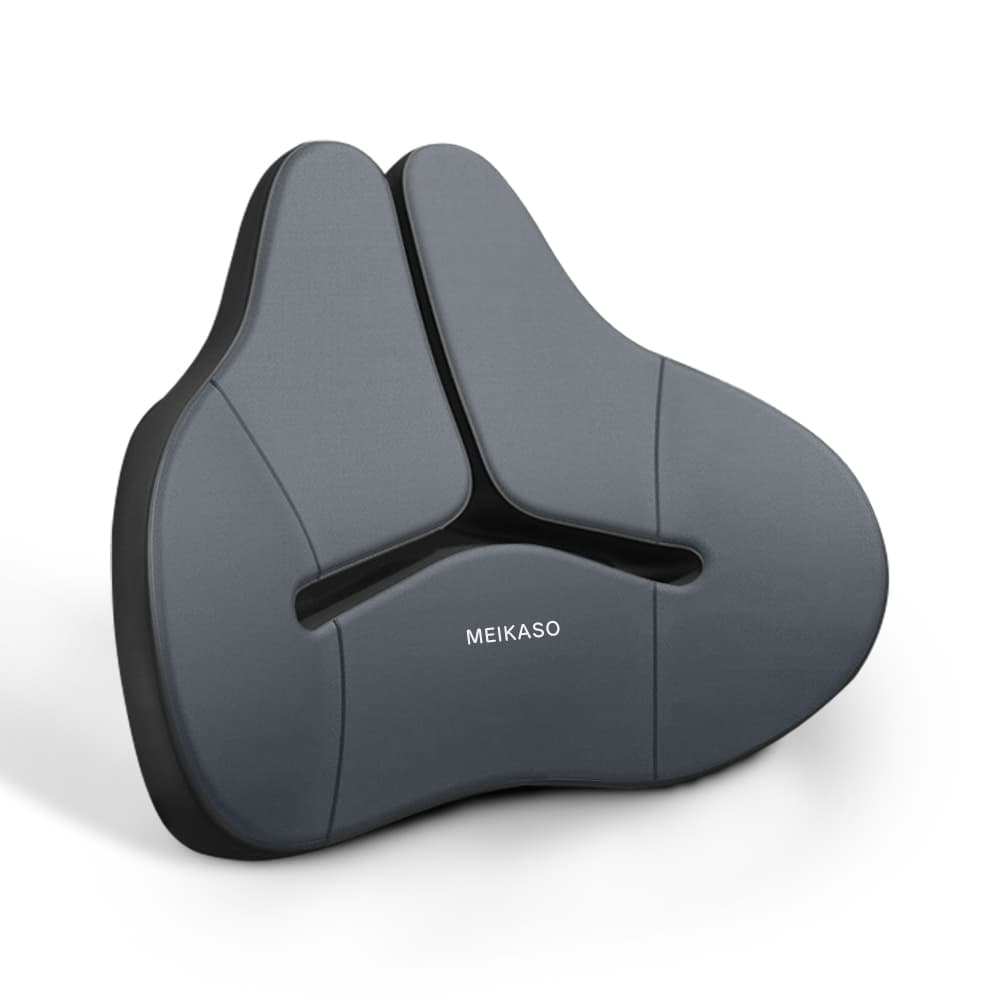
The appeal of this Meikaso Lumbar Cushion lies first in its use of German-imported memory cotton. It's designed to fit your body's curves snugly and reduce strain on your lower back. Additionally, the DELICATE-FIBER fabric offers excellent breathability, and with its zippered cover, you can wash it to keep it clean. It also has SGS certification, providing a certain level of quality assurance. The versatility to use it not only in cars but also on office chairs and sofas is another point you shouldn't overlook.
2025 Duolingo Language Report
The Duolingo Language Report is a valuable resource that visualizes global language learning trends based on data from millions of users worldwide. Covering over 40 languages and 219 countries, it reveals which languages are popular and what learning patterns are most effective. For language learners, it's a wonderful resource that helps you objectively assess your own learning and find motivation to tackle new languages. What's more, the inclusion of not just languages but also math, music, and chess suggests exciting possibilities as a comprehensive learning platform.
NURO Hikari

NURO Hikari is a fiber optic internet service that boasts incredible download speeds of up to 2Gbps to 10Gbps. The 2-gigabit plan is particularly attractive, offering the first two years at an astonishing ¥2,090 per month for apartments. With no contract commitment, you have the freedom to cancel anytime. Plus, you'll get a cashback of ¥25,000 to ¥35,000, and one free setup support session—perfect for beginners. This high-performance network can easily handle simultaneous activities like remote work, online gaming, and 4K video streaming.